Using Design.md as a Figma-free style guide for AI-generated UI
AI isn’t great at designing good-looking frontend components out-of-the-box, and neither am I.
My UI design challenge
This blog’s first UI layout came from an Astro template which felt pretty generic. I considered Tailwind, but setting up the right components and design styles felt like an unnecessary overhead. Doing designs in Figma instead was even worse, complete overkill for what is meant to be a simple blog.
That left me at an odd point: I didn’t have a designer, I didn’t want to use Figma, and I didn’t want to use Tailwind either. Nonetheless, I needed a consistent UI style guide to make sure Claude keeps consistent styling across my blog’s redesign.
Saved by DESIGN.md
One approach I came across was to embed the website’s style guides into a DESIGN.md file. This is quite similar to importing your style guide from Figma into a Tailwind config, keeping your fonts, primary colours, spacing, and so on, consistent across pages. Awesome Design is a repository of style guides in markdown (.md) meant for AI agents. The guides are based on designs of popular websites and platforms. Judging by the theme of this blog, if you can’t tell already, I chose the Claude theme (bit of a fanboy here!).
The underlying concept is simple: you download a DESIGN.md file of the website you wish to use and place it in the root of your codebase, similar to the CLAUDE.md or AGENTS.md file. Your coding AI agent should pick this up and read it as context when designing a new component, therefore enforcing your style guide.
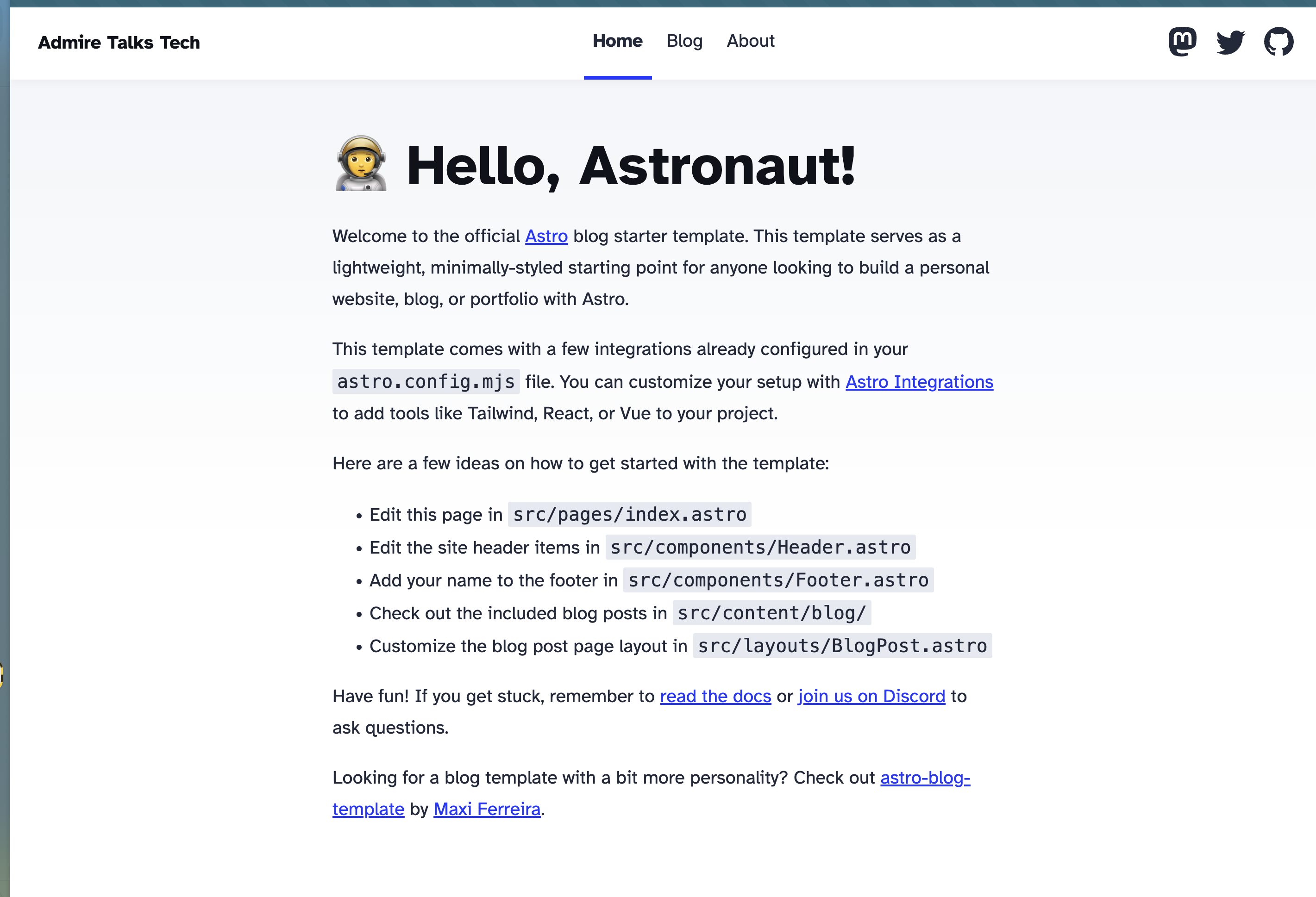
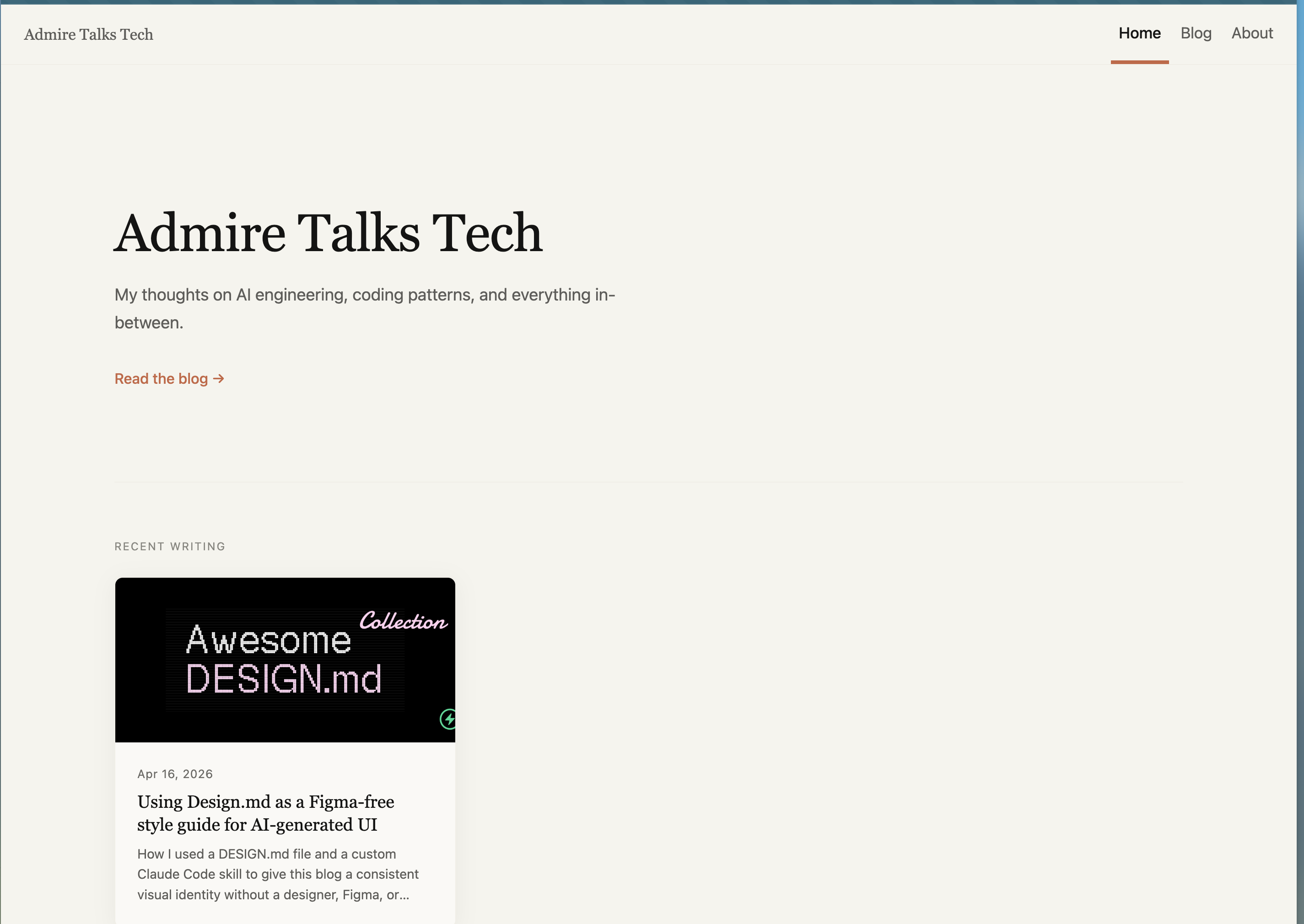
In my case, I wanted to be more explicit about this, so I used the skill-creator skill from Anthropic to make up a custom ui-design skill which the agent could use when making a new design. The skill specifically references the DESIGN.md file, making it less likely that it is missed when Claude generates a new component. I then prompted Claude Code to use the skill to redesign the entire blog, and it worked out amazingly! Below are images of the initial default design, to the more minimalistic version based on my chosen Awesome Design file.
To be realistic, this specific setup won’t suit everyone. If you have a designer then you might be better off using Figma’s MCP integration to enable your coding agent to pull components directly from there and implement them in code. Alternatively, you can have a frontend engineer or UI designer translate those into Tailwind components which the coding agent can read and use in the codebase. A custom design skill is still something I would recommend though, just to make sure.
How to set it up
This is an overview of the steps I took to get my setup running and produce the results above. More details are available in the specific websites, so I won’t duplicate that here.
- Download the chosen design system’s
DESIGN.mdfile from Awesome Design. - Add the
DESIGN.mdfile in the root of my repository. - Create a custom ui-design skill using the skill-creator skill from Anthropic, referencing the
DESIGN.mdfile. - Prompt Claude Code to redesign my blog using the new skill.
Helpful links and resources
- This blog’s GitHub repository with all sample code described above (I used this myself). You will find the
ui-designskill in.claude/skills/ui-design/SKILL.md - Awesome Design on GitHub
- Skill creator skill from Anthropic
- Astro, the underlying framework used on the blog
Let me know how you use this setup, or if you have something different instead 🙌